

Is Envato Elements Worth It for Creators, Designers, and Small Businesses?
Is Envato Elements worth it for creators, designers, and small businesses? See what you get, who should use it, pros, cons, and honest tips.
Explore 10 AI fashion model prompts to create stunning Pinterest-style images, with copy-ready prompts, customization tips, and creative use ideas.
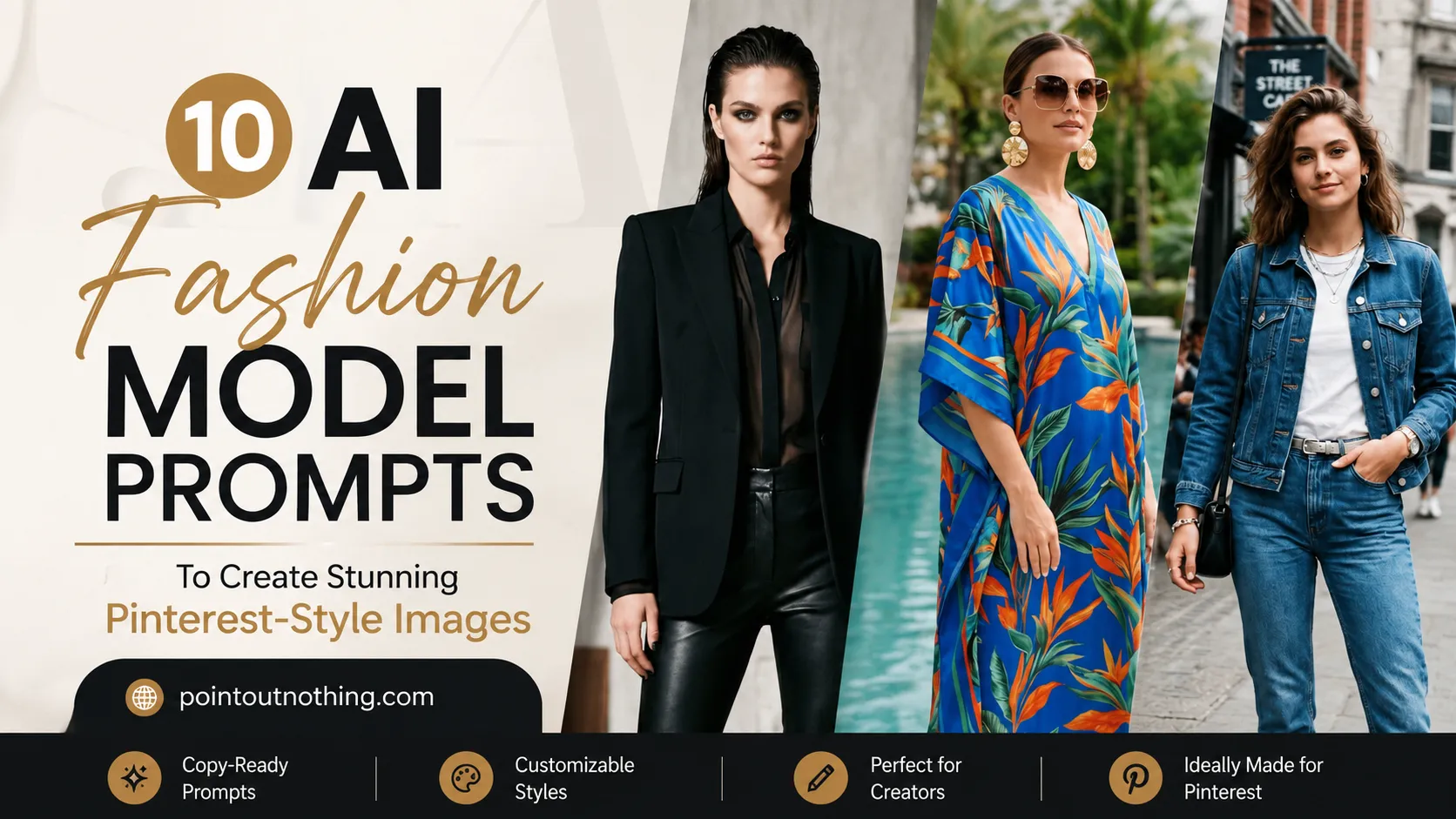
AI fashion images are becoming one of the most exciting visual trends for creators, bloggers, designers, and Pinterest users. A simple prompt can now create a polished fashion portrait, an editorial-style photoshoot, or a dreamy model image that looks like it belongs on a mood board.
But here is the important part: beautiful AI fashion images do not happen only because of the tool you use. They happen because of the details inside the prompt. The outfit, lighting, background, pose, camera angle, color mood, and styling direction all work together to shape the final result.
That is why this guide is not just a gallery of AI-generated fashion model images. It is a practical prompt collection designed to help you understand how each image was created, why the prompt works, and how you can customize it for your own Pinterest pins, blog visuals, mood boards, thumbnails, or creative projects.
In this article, you will find 10 AI fashion model prompts, and each prompt will include two image variations. You can copy the prompts, adjust the style, and use them as a starting point to create your own beautiful fashion-inspired AI images.
The easiest way to use these prompts is to copy one prompt, paste it into your preferred AI image generator, and generate a few variations. Do not stop after the first result. AI image generation works better when you test small changes and compare different outputs.
You can change simple details like outfit color, background, lighting style, camera angle, season, expression, or visual mood. For example, if a prompt creates a luxury studio portrait, you can turn it into a soft outdoor portrait by changing the background and lighting details.
These prompts are meant to be flexible. You do not have to use them exactly as they are. Treat them like creative recipes. The main structure gives the AI a strong direction, but your small changes can make the final image feel more personal, more branded, or more suitable for your project.
If you are creating images for Pinterest, vertical images usually work better. A portrait-style layout gives the image more space on the feed and makes it easier for people to notice the details. For most fashion prompts, a vertical 4:5, 2:3, or 9:16 ratio can work well depending on where you plan to use the image.
A good AI fashion model prompt is not just about saying “beautiful model wearing a dress.” That type of prompt is too broad, and the result may look generic. A stronger prompt gives the AI clear direction about the subject, clothing, pose, location, lighting, and style.
Think of your prompt like a mini creative brief. If you were explaining a photoshoot to a photographer, you would not only say, “Take a fashion photo.” You would describe the outfit, the mood, the background, the type of lighting, and the feeling you want the image to create.
The same idea applies to AI image generation. The more intentional your prompt is, the more controlled your result becomes. You do not need to make the prompt complicated, but you do need to include the right visual ingredients.
When these details work together, the image feels more intentional. Instead of producing a random fashion image, the AI understands the creative direction. This is what makes the final image look more like a planned photoshoot and less like a basic AI experiment.
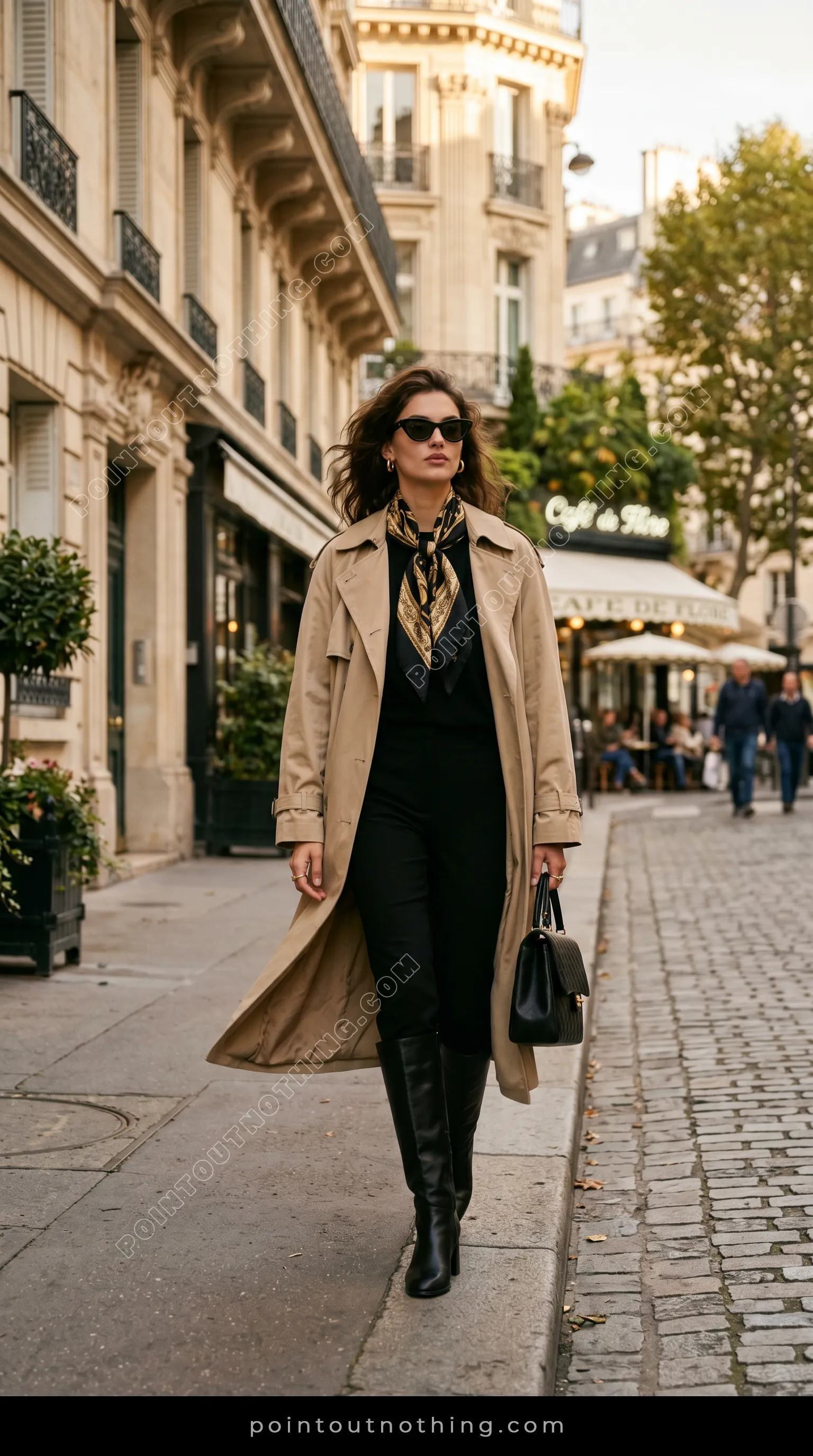
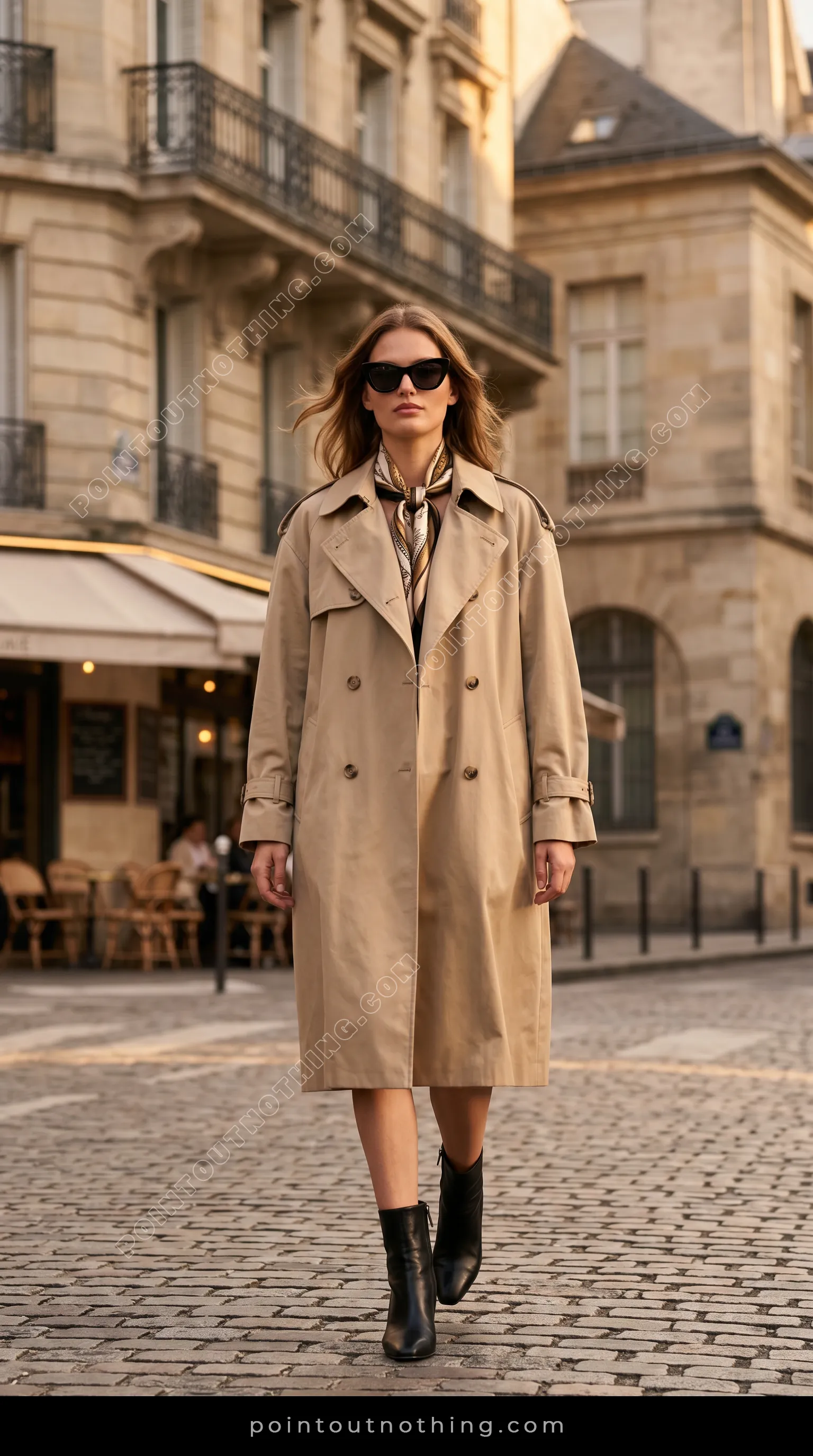
A woman walks down a cobblestone street in Paris, wearing a beige trench coat, black pants, black boots, and a patterned scarf. She is carrying a black handbag and wearing sunglasses. The background features Parisian architecture, trees, and an outdoor cafe. The lighting suggests it is daytime, possibly late afternoon, with soft sunlight.
This prompt works well because it gives the AI a very clear fashion direction. The beige trench coat, black pants, boots, scarf, handbag, and sunglasses all create a polished Paris street style look. Instead of giving a vague clothing idea, the prompt describes a complete outfit that feels intentional and easy for the AI to visualize.
The setting also adds a lot of value to the final image. Parisian architecture, cobblestone streets, trees, and an outdoor cafe instantly create a stylish travel-fashion mood. The soft late-afternoon daylight helps the image feel natural, warm, and Pinterest-friendly rather than overly staged or flat.
You can copy this prompt and test it with the Envato AI Image Generator to create stylish fashion variations. You can also try it in Adobe Firefly and adjust the location, outfit colors, or lighting to create a completely new Paris-inspired fashion image.


A young woman with curly brown hair stands in a garden, leaning on a stone balustrade. She is wearing a light purple floral dress with puff sleeves and square neckline, and beige slingback heels. The garden features manicured hedges, blooming pink and white hydrangeas, and a large ivy-covered stone building in the background. The lighting suggests a soft, natural outdoor setting, possibly late afternoon.
This prompt creates a soft and romantic fashion image because it combines a feminine outfit with a rich outdoor setting. The light purple floral dress, puff sleeves, square neckline, and beige slingback heels give the model a graceful, elegant look that feels perfect for garden-style fashion photography.
The background details make the image feel more complete and atmospheric. Manicured hedges, blooming hydrangeas, a stone balustrade, and an ivy-covered building all help guide the AI toward a refined countryside or estate-garden mood. The soft late-afternoon lighting adds warmth without making the scene look too dramatic.
You can use this prompt with the Envato AI Image Generator to create soft garden-style fashion portraits. You can also try the same prompt in Adobe Firefly and experiment with different flowers, dress colors, or background locations for fresh variations.


A young woman with wavy brown hair is leaning against a brick wall on a cobblestone street. She is wearing a black leather jacket, a white tank top, and blue jeans. She has on black pointed-toe boots and several necklaces. In the background, people are walking down the street, and buildings line both sides. The image is shot from a medium-low angle, with the woman as the central focus.
This prompt works because it creates a strong urban fashion mood with simple but powerful outfit details. The black leather jacket, white tank top, blue jeans, pointed-toe boots, and layered necklaces give the image a confident street-style look that feels modern, wearable, and visually bold.
The setting also supports the outfit perfectly. A brick wall, cobblestone street, walking pedestrians, and buildings on both sides help create a natural city atmosphere. The medium-low camera angle makes the model feel more confident and central, which is useful when you want the image to look like a street fashion editorial rather than a casual snapshot.
You can try this street-style prompt with the Envato AI Image Generator to create more urban fashion variations. You can also test it in Adobe Firefly and adjust the jacket, street background, or camera angle to create a stronger editorial look.


A young woman with long, wavy blonde hair stands in a desert landscape at sunset. She is wearing a wide-brimmed straw hat, a flowing, patterned maxi dress with lace trim, and several necklaces and bracelets. Her gaze is directed off to the side, and her right hand is resting on her hip. The background features sand dunes, sparse desert vegetation, and rocky hills under a warm, cloudy sky. The lighting suggests the golden hour, casting a soft glow on the scene.
This prompt works beautifully because it combines fashion, location, and lighting into one clear visual mood. The flowing patterned maxi dress, lace trim, straw hat, necklaces, and bracelets create a relaxed boho fashion style that naturally fits the desert setting.
The golden hour lighting is one of the strongest parts of this prompt. Sunset light adds warmth, softness, and depth to the image, which makes the final result feel more cinematic and emotional. The desert dunes, rocky hills, and cloudy sky also give the image a wide, open atmosphere that works very well for Pinterest-style fashion visuals.
You can test this boho-inspired prompt with the Envato AI Image Generator to create warm desert fashion variations. You can also use Adobe Firefly to experiment with different dress styles, sunset tones, landscapes, and accessories.


A young woman with dark hair is sitting at a wooden table in a cafe, holding a cup of coffee. She is wearing a tan coat, a black turtleneck, blue jeans, and brown loafers. A black handbag is on the bench next to her. The cafe has exposed brick walls and large windows.
This prompt works because it creates a relaxed lifestyle-fashion image with a clear everyday setting. The tan coat, black turtleneck, blue jeans, and brown loafers give the outfit a classic casual style that feels realistic, polished, and easy to relate to.
The cafe setting adds warmth and story to the image. Details like the wooden table, coffee cup, exposed brick walls, large windows, and handbag on the bench help the scene feel lived-in rather than empty. This makes the final result useful for Pinterest because it blends fashion, lifestyle, coffee culture, and cozy city aesthetics.
You can try this cozy cafe prompt with the Envato AI Image Generator to create warm lifestyle-fashion variations. You can also use Adobe Firefly to experiment with different cafe interiors, outfits, lighting styles, and seasonal moods.


A full-body shot of a woman in a white pantsuit stands on a rooftop with a city skyline in the background. The woman is facing slightly to the left, with her right hand in her pocket and her left arm relaxed at her side. She has her hair pulled back in a bun and is wearing red lipstick. The background features tall buildings under a clear sky. The lighting suggests it is daytime, possibly late afternoon.
This prompt works because it gives the AI a strong fashion and lifestyle direction at the same time. The white pantsuit, sleek bun, red lipstick, and confident standing pose create a polished power-dressing look that feels modern, professional, and visually striking.
The rooftop and city skyline make the image feel aspirational without becoming too busy. A clear sky and late-afternoon lighting help keep the scene clean, bright, and premium. This kind of prompt is especially useful when you want an image that feels confident, elegant, and business-focused.
You can create more confident business-fashion variations with the Envato AI Image Generator. You can also try the same prompt in Adobe Firefly and adjust the suit color, rooftop background, lighting, or camera angle to create a more premium editorial result.


A young woman with curly blonde hair tied with a cream ribbon walks through a field of wildflowers. She is wearing a flowing, light pink dress with a floral pattern and puff sleeves. The field is filled with various flowers in shades of purple, pink, white, and blue, with green foliage. The background shows a soft-focus green landscape with trees and a bright sky, suggesting a sunny day. The woman is looking over her shoulder towards the right side of the frame, with her right hand gently touching the flowers. The overall mood is serene and ethereal, with a soft, warm light illuminating the scene.
This prompt works beautifully because it gives the AI a clear soft-fashion direction with strong visual details. The light pink floral dress, puff sleeves, cream hair ribbon, and gentle movement through the flowers create a romantic and dreamy fashion mood.
The wildflower field adds color, depth, and emotion to the image. Purple, pink, white, and blue flowers make the scene feel rich without becoming too heavy. The soft-focus green background and warm sunlight help create an ethereal Pinterest-style look that feels peaceful, feminine, and visually saveable.
You can create more dreamy floral fashion variations with the Envato AI Image Generator. You can also test this prompt in Adobe Firefly and adjust the flowers, dress color, lighting, or background to create your own soft Pinterest-style fashion image.


A full-body studio shot features a woman with dark, wet hair styled back, wearing a black blazer over a sheer black blouse and black leather pants. She is standing in a minimalist, industrial-style setting with concrete pillars and blocks. Her makeup is dramatic, with dark eyeliner and eyeshadow. She is wearing black stiletto heels with ankle straps. The lighting is soft and diffused, creating a sophisticated and edgy mood.
This prompt works because it creates a strong high-fashion mood with a clear visual identity. The black blazer, sheer blouse, leather pants, stiletto heels, dramatic makeup, and slicked-back wet hair all push the image toward an edgy editorial style rather than a simple studio portrait.
The minimalist industrial setting also supports the fashion direction very well. Concrete pillars, blocks, soft diffused lighting, and a controlled studio environment help the outfit stand out without too many distractions. This balance of clean background and bold styling makes the image feel sophisticated, powerful, and suitable for fashion-focused Pinterest visuals.
You can test this bold studio fashion prompt with the Envato AI Image Generator to create more edgy fashion variations. You can also try it in Adobe Firefly and adjust the outfit texture, lighting mood, studio background, or makeup style for a different editorial result.


A woman stands by a pool wearing a colorful, patterned kaftan and gold sandals. She holds a straw hat in her left hand and wears large, ornate earrings and sunglasses. The background features palm trees and lounge chairs.
This prompt works because it creates a clear resort-fashion mood with very simple but effective styling details. The colorful patterned kaftan, gold sandals, straw hat, ornate earrings, and sunglasses instantly suggest a relaxed luxury vacation look that feels bright, stylish, and easy to imagine.
The poolside background supports the fashion direction without needing too many extra details. Palm trees and lounge chairs help the AI understand the setting as a resort or tropical holiday scene. This makes the image especially useful for Pinterest because it combines fashion, travel, summer lifestyle, and vacation outfit inspiration in one visual.
You can use this resort-style prompt with the Envato AI Image Generator to create colorful poolside fashion variations. You can also try it in Adobe Firefly and adjust the kaftan print, resort background, accessories, or lighting to build a fresh vacation-style image.


A young woman stands on a cobblestone sidewalk in front of a cafe. She is wearing a denim jacket, a white t-shirt, and blue jeans, with white ankle boots. The cafe has a brick facade and outdoor seating. In the background, people are walking down a street lined with buildings. The lighting is natural and overcast.
This prompt works well because it creates a relaxed everyday fashion image that feels natural and easy to connect with. The denim jacket, white t-shirt, blue jeans, and white ankle boots give the outfit a clean casual style that works for street fashion, cafe looks, and simple outfit inspiration.
The background adds a realistic city lifestyle feeling without taking attention away from the model. The cobblestone sidewalk, brick cafe facade, outdoor seating, walking people, and overcast light create a soft urban mood. This makes the final image feel like a candid fashion blog photo rather than an overly staged studio image.
You can try this casual denim prompt with the Envato AI Image Generator to create more street-style fashion variations. You can also test the same prompt in Adobe Firefly and change the cafe, outfit layers, footwear, or lighting to create a fresh everyday fashion image.
The best way to customize AI fashion prompts is to change one part at a time. Many beginners rewrite the entire prompt when they do not like the result, but that makes it harder to understand what actually changed the image. A better method is to adjust only the outfit first, then the background, then the lighting.
For example, if a prompt creates a soft studio portrait, you can first change the outfit from a white blazer to a black evening dress. Then you can change the background from a studio to a luxury hotel lobby. After that, you can change the lighting from soft studio light to warm cinematic light.
This step-by-step method gives you more control. You begin to understand how every phrase affects the image. Over time, you will be able to create your own prompts faster because you will know which details matter most.
A small change can create a completely different result. If you want a premium fashion campaign look, use words like “editorial,” “luxury,” “magazine photography,” and “high-end fashion.” If you want something softer for Pinterest, use words like “aesthetic,” “natural light,” “pastel tones,” and “dreamy portrait.”
One common mistake is using prompts that are too vague. If you only write “fashion model portrait,” the AI has to guess almost everything. It may create a decent image, but it will not always match the mood or style you wanted.
Another mistake is adding too many unrelated style words. For example, if one prompt says “minimalist, cyberpunk, vintage, luxury, pastel, streetwear, cinematic, fantasy,” the AI may get confused. A good prompt needs direction, not just a long list of attractive words.
It is also important to keep your fashion prompts professional and brand-safe. Use phrases like “adult fashion model,” “editorial portrait,” “professional photoshoot,” and “modern fashion styling.” This keeps the result polished and suitable for blogs, Pinterest, social media, and creative portfolios.
A strong AI fashion image should feel intentional. It should have a clear mood, a clean composition, and a visual reason for existing. If the image looks beautiful but confusing, simplify the prompt and focus on one strong creative direction.
AI fashion images are useful for more than just looking beautiful. They can support many types of creative projects, especially if you work with Pinterest, blogs, social media, branding, or visual storytelling. A good image can become a pin, a blog cover, a mood board, or even a design concept.
Fashion-style AI images are especially powerful because they carry emotion quickly. A confident pose, a soft color palette, or a luxury outfit can instantly communicate a feeling. That is why these images work well on visual platforms where people decide within seconds whether to save, click, or scroll past.
If you are a blogger or creator, you can use these prompts to create visual themes for your content. For example, you can build a Pinterest board around minimalist fashion, luxury style, streetwear inspiration, or soft lifestyle portraits. The images can also help you test different creative directions before making final designs.
The key is to use them with purpose. Instead of uploading an image randomly, connect it to a clear topic, headline, or design idea. A strong image gets attention, but a useful headline and helpful content keep people engaged after they click.
Once you generate your AI fashion images, the next step is turning them into useful content assets. A raw AI image can look beautiful, but it becomes more powerful when you design it into a Pinterest pin, blog graphic, social media post, or visual guide.
For Pinterest, add a clear text overlay that creates curiosity. Instead of writing only “AI Fashion Prompt,” use a title that tells people what they will get. For example, “10 AI Fashion Prompts You’ll Want to Save” or “Create Pinterest-Style Fashion Images With These Prompts” can perform better because they promise value.
For blog graphics, use the image as a visual anchor. You can place it at the start of the article, inside each prompt section, or as part of a collage. If the article includes 10 prompts and 20 images, a collage-style Pinterest pin can also work well because it shows variety and encourages clicks.
AI fashion model prompts are not just about generating pretty images. They are a way to learn how words shape visuals. When you understand how outfit, lighting, pose, mood, background, and camera style work together, you can create images that feel more polished and intentional.
This guide is designed to help you copy, test, customize, and improve your own AI fashion images. You can use the prompts exactly as they are, or change them to match your own style, niche, brand colors, or content goals.
If you are creating for Pinterest, blogs, social media, or visual inspiration, these prompts can become a strong starting point. Try a few variations, save your favorite results, and keep building your own creative prompt library.
The more you practice, the better you will become at writing prompts that create the exact image you imagined. Start with one prompt, change one detail, and watch how quickly a simple idea can turn into a beautiful fashion-style visual.

A digital professional with over 12 years of corporate experience and a postgraduate qualification in Business Analytics and Business Intelligence. He has hands-on expertise in data visualization, SEO, digital marketing, web design, and modern web development with Next.js, along with practical experience as an AI generalist working on generative AI–driven business use cases. His work focuses on understanding digital transformation in the age of artificial intelligence and translating data, technology, and design into clear, user-centric digital experiences.
Is Envato Elements worth it for creators, designers, and small businesses? See what you get, who should use it, pros, cons, and honest tips.